Done today, or a past date
One tap logs when you finished it. Add a custom past date when you remember later—filters, plants, haircuts, family calls.
Occasional maintenance
Remember the last time.
A tracker for things you do occasionally—not every day. Smart cycles instead of streaks.
WhenDid keeps last-done dates, learns your intervals, and surfaces what may be due again—without daily streak pressure.
One tap logs when you finished it. Add a custom past date when you remember later—filters, plants, haircuts, family calls.
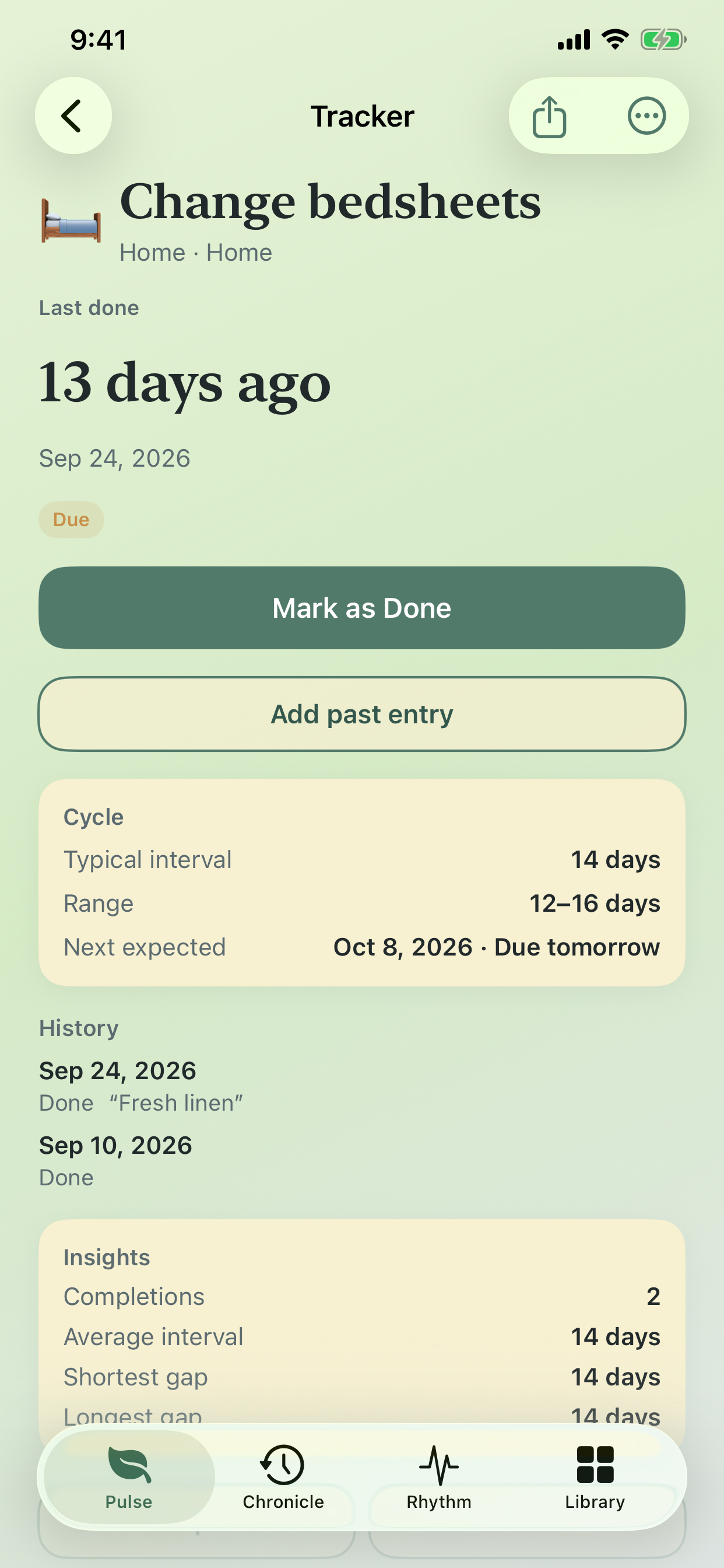
WhenDid learns your usual interval and range, then suggests when something may be due again without Monday pressure.

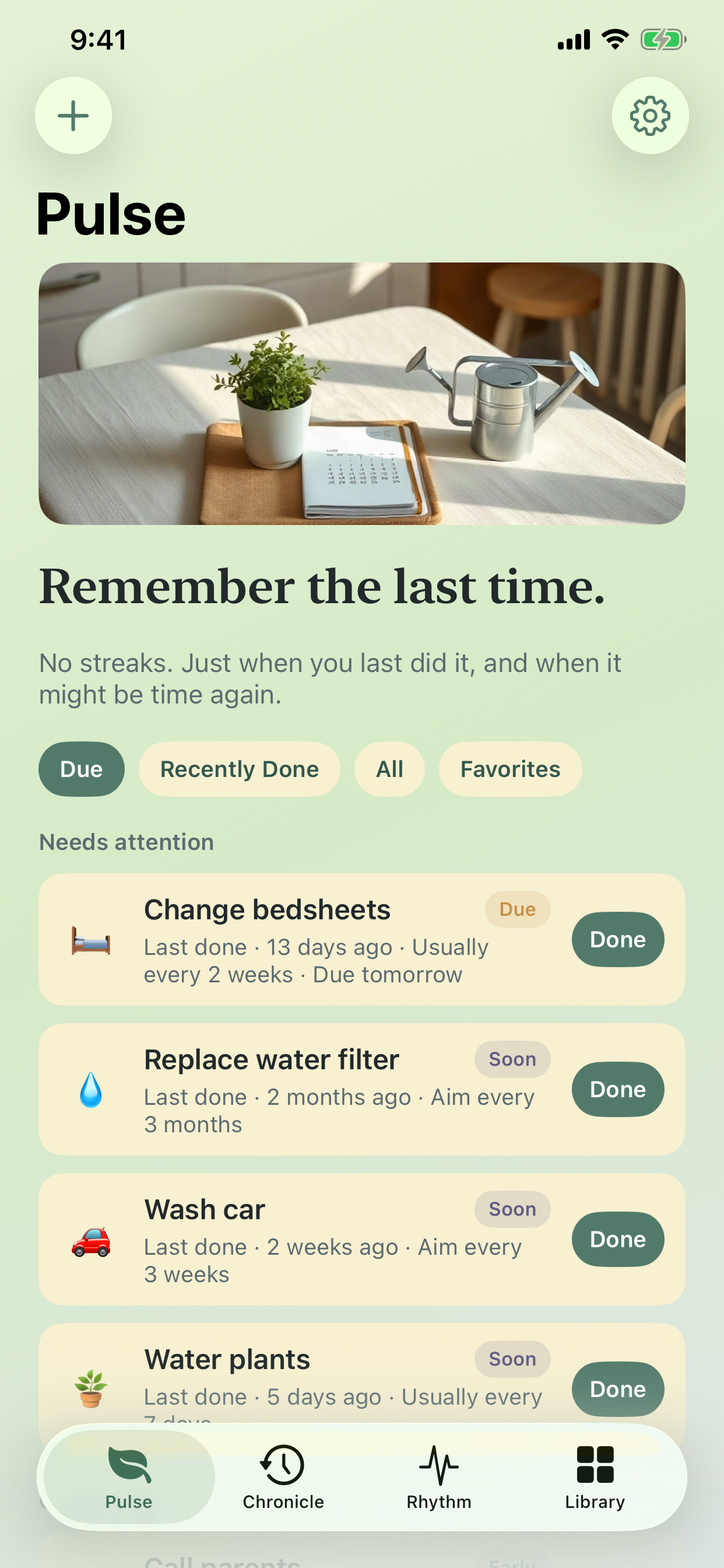
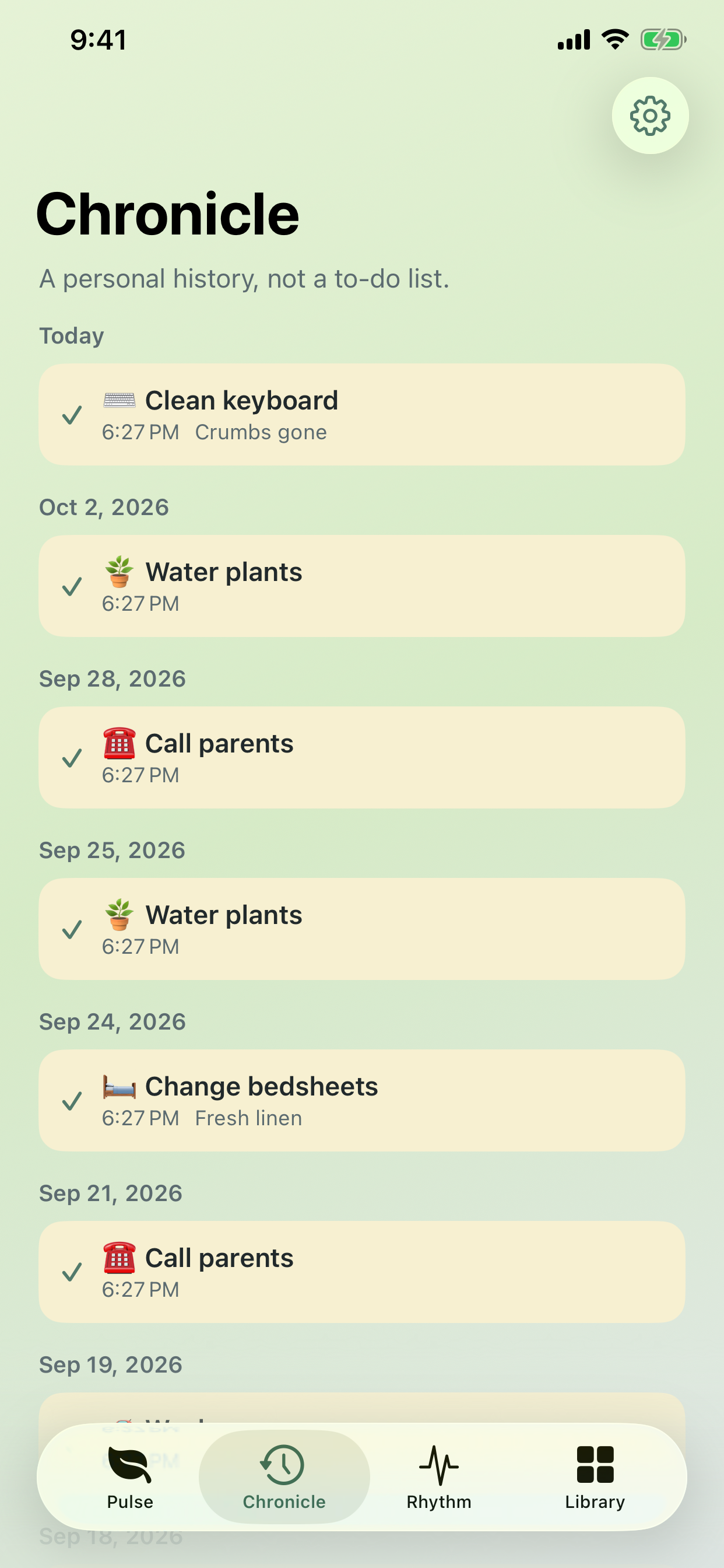
Needs-attention cards on Pulse, a personal history on Chronicle, monthly insights on Rhythm, and a searchable Library of spaces.

Real screens from Pulse, tracker detail, and Chronicle—annotated for the moments that matter.
Effective date: October 7, 2026
WhenDid does not collect personal data. Trackers, completion history, notes, and photos you attach are stored on your device.
If you enable reminders, the system notification service on your device schedules local alerts. Optional Face ID lock stays on-device and is never sent to us.
We do not operate an account system for this app. Backups you export (JSON or CSV) leave the device only when you share them yourself.
Questions about this policy: liliiakozachenko@sviatovyt-atov.org.
We’re here to help
Need help with logging a past entry, smart cycles, templates, export, or reminders? Email us and we’ll get back to you.
liliiakozachenko@sviatovyt-atov.org
WhenDid · Productivity · Apple App Store